
Get Started In 3 Steps
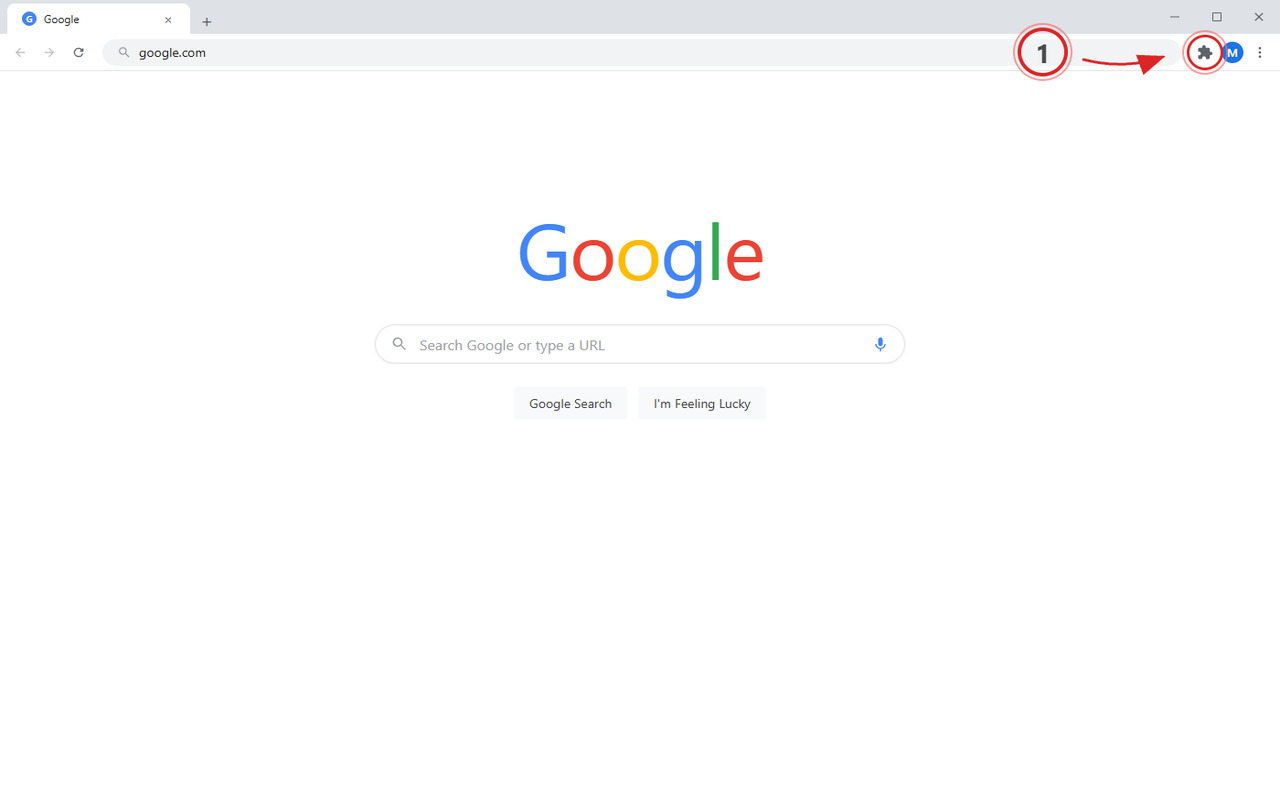
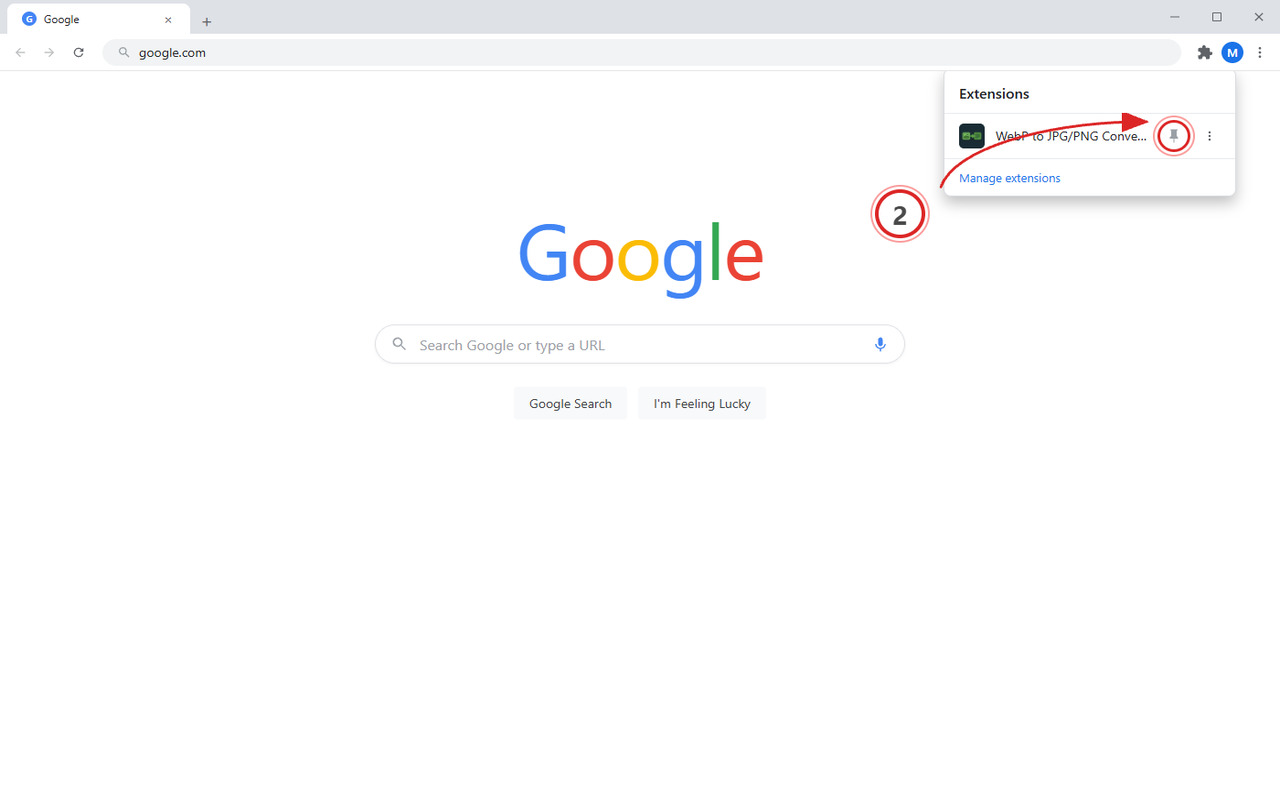
Click the puzzle icon and pin WebP to JPG/PNG Converter
Pinning keeps it visible in your toolbar for quick access anytime.
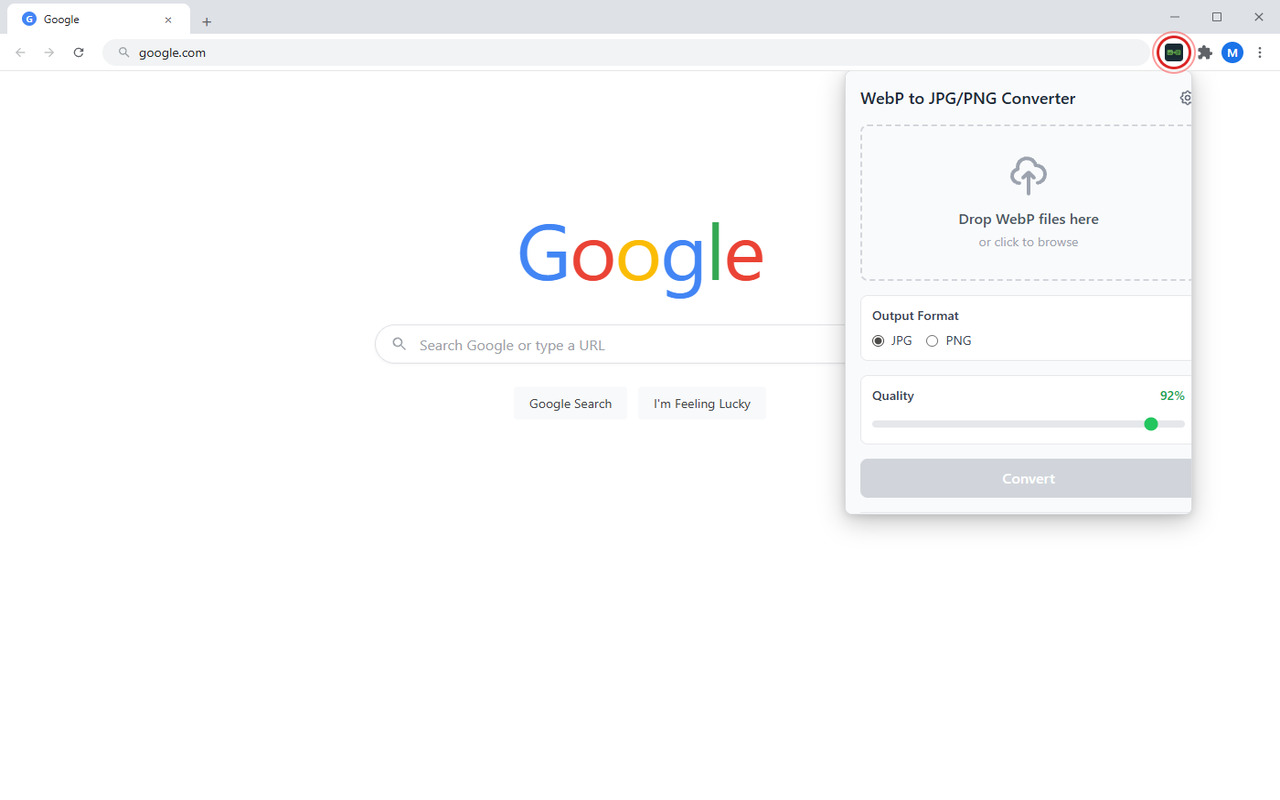
Click the pinned icon in your toolbar
Open the converter to start converting WebP images instantly.
Convert your first WebP image
Drag and drop any WebP file, choose JPG or PNG output, adjust quality, and download the converted image.
Unlock Pro Superpowers
Remove all limits and unlock advanced features.
Free Plan
- checkSingle file conversion
- checkWebP to JPG output
- checkBasic quality settings
- closeBatch conversion
- closeCustom quality settings
$19/year SAVE 60%
Cancel anytime
- checkUnlimited Batch Conversion
- checkCustom Quality Settings
- checkPNG / BMP / TIFF Output
- checkAuto-Download & Rename
- checkPriority Support
verified_user 7-day money-back guarantee




Join 300+ Pro users

Free Chrome Power User Kit
The browser tricks and tools nobody told you about.
-
17 Chrome Extensions That Replace Paid Software
-
The 5-Minute Browser Setup That Kills Distractions
-
Hidden Chrome Settings That Speed Up Your Browser
-
Tab Management Blueprint (for 40+ tab people)
-
Weekly: One new Chrome trick, tested and explained
You're in!




Stop Typing. Start Talking.
StarWhisper turns your voice into text instantly. Works offline, 99% accurate, completely private.
No account needed · Works instantly




Get Every Pro Extension We Make for $9/mo
One subscription unlocks every Pro feature across the entire Peak Productivity suite. Every new extension we release is automatically included.
$79/year (save 27%) · 7-day money-back guarantee